
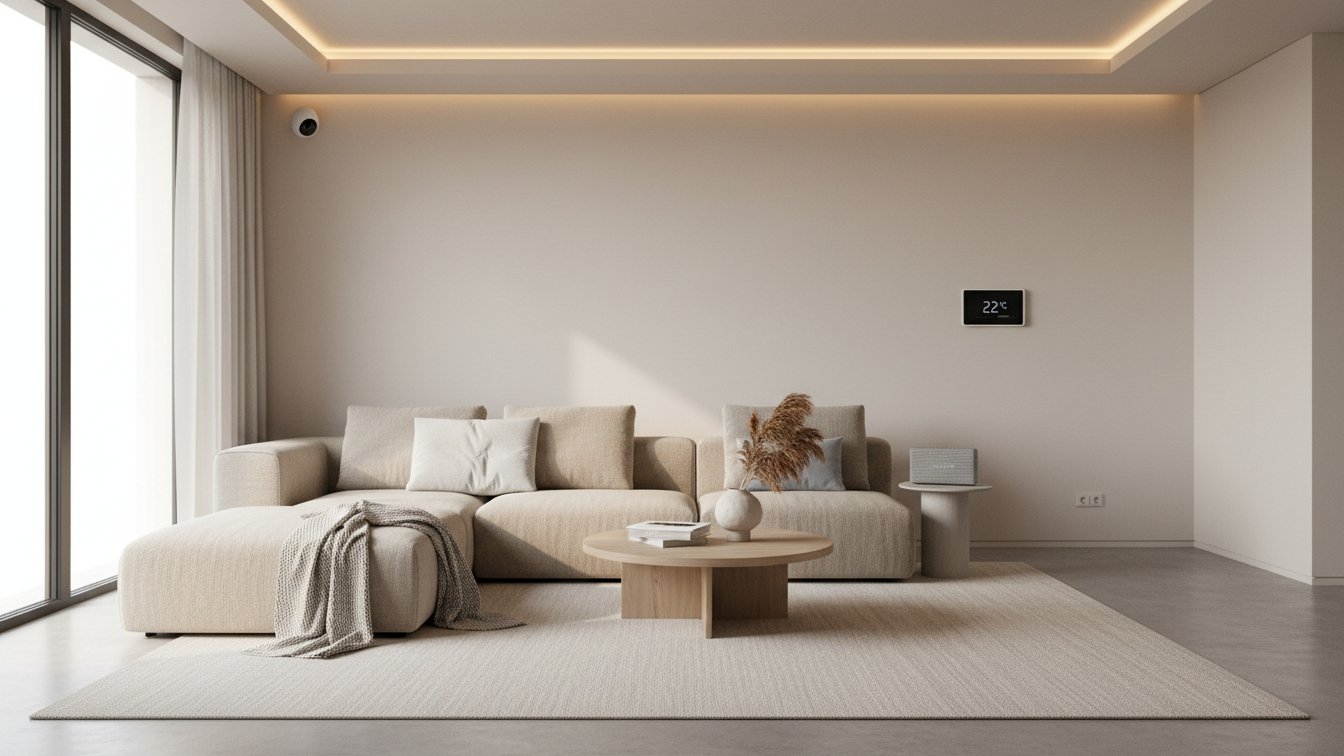
Smart homes connect devices, apps and voice assistants to automate lighting, climate, security and entertainment. This guide explains what a smart home is, how major platforms like Google Home, Amazon Alexa and Apple Home work with hubs and devices, and how to choose thermostats, locks, plugs and hubs. Read on for practical setup, security, compatibility and emerging trends such as Matter.
What a Smart Home Is and Core Technologies
A smart home is a residence where devices and systems—such as lighting, security, heating, entertainment, and appliances—are connected via digital networks and can be monitored, controlled, or automated remotely or locally. While home automation broadly refers to mechanizing and programming household tasks (often via timers or basic sensors), a smart home integrates devices using the Internet of Things (IoT): physical objects with sensors, actuators, and connectivity that enable interaction and data exchange with each other and with users. Sensors collect data (e.g., temperature, motion), actuators perform actions (e.g., unlock a door, adjust a thermostat), and controllers or hubs manage coordination.
Common smart home communication protocols and standards include:
- Wi-Fi: High data rate, broad compatibility, but higher power use; best for cameras and TVs.
- Bluetooth/BLE: Short range, low power, used for devices like locks and sensors.
- Zigbee: Mesh networking, low power, ideal for sensors and bulbs; requires a hub.
- Z-Wave: Similar to Zigbee with longer range, separate frequency, and strong vendor certification.
- Thread: IP-based mesh, low latency, designed for interoperability and low power.
- Matter: New universal application standard for secure, cross-brand device communication.
Local control (automation processed in the home, not the cloud) offers faster response, no dependency on internet uptime, and greater privacy, whereas cloud control allows remote access but raises latency and privacy concerns due to data transit/storage.
Historical context: Early home automation began with X10 (1970s), using powerline signaling. Adoption has accelerated with the rise of Wi-Fi and smartphones: by 2023, 69% of US broadband households owned at least one smart home device (Parks Associates).
Core smart home components:
- Hubs/Controllers: SmartThings, Home Assistant, Apple HomePod, Amazon Echo.
- Smart speakers and voice assistants: Google Home, Alexa, Siri.
- Smart thermostats: Google Nest, Ecobee.
- Smart locks: August, Yale, Schlage.
- Smart plugs: TP-Link Kasa, Wemo.
- Cameras and video doorbells: Arlo, Ring, Nest.
- Motion/door/window sensors: Aqara, Philips Hue, Ecolink.
- Smart TVs and appliances: LG, Samsung, Sony, Bosch.
A smart home hub (or gateway) acts as the command center, bridging devices and protocols—crucial for managing Zigbee, Z-Wave, or Thread devices, and for integrating smart home control via one app or voice assistant. Software hubs like Home Assistant unify and localize device management.
Glossary of key smart home terms:
- Hub: Central device that connects and controls other devices.
- Bridge: Converts one protocol to another; e.g., Zigbee bridge for Wi-Fi networks.
- Gateway: Routes data between different networks.
- Routine/automation: A programmed sequence of actions based on triggers.
- Scene: Preset group of actions/devices activated together.
- Local control: Automation processed within the home network.
- Cloud service: Remote data processing and control via external servers.
- Firmware: Embedded software controlling the hardware of a device.
Major Platforms Hubs and Ecosystems
- Google Home / Google Nest forms one of the largest smart home ecosystems. Google Home serves as both an app and a speaker line, while Google Nest includes devices like thermostats, cameras, speakers, and displays. The Google Home app centralizes setup and control of Nest, Chromecast, and third-party devices. Voice interaction is powered by Google Assistant, supporting routines and integration with many brands.
- Amazon Alexa (Echo ecosystem) centers around Echo speakers, displays, and the Alexa voice assistant. Alexa offers broad third-party support and skills, simple setup, and comprehensive control via app, voice, or routines.
- Apple Home (HomeKit/Home app/Siri) focuses on privacy and robust local control for devices labeled “Works with Apple Home.” Its Home app (iOS/macOS) and Siri enable intuitive management; HomePod mini and Apple TV 4K double as Thread border routers and Home hubs.
- Home Assistant is a leading open-source hub platform, local-first, supporting hundreds of integrations—from consumer brands to niche gear.
- Samsung SmartThings and Hubitat are other hub-based ecosystems, balancing local processing with cloud strengths and broad device support.
- Device compatibility breadth:
- Alexa and Google Home: broadest, support Wi-Fi, Zigbee, and, increasingly, Matter-enabled devices.
- Apple Home: most restrictive—HomeKit-certified and Matter devices.
- Home Assistant: integrates the widest variety, including obscure and local-only devices.
- Cloud vs local control:
- Google/Amazon: Cloud-dependent, some local actions.
- Apple Home: Emphasizes local; remote requires Home hub.
- Home Assistant, Hubitat: Primarily local, high privacy, robust automations.
- Privacy:
- Apple: Prioritizes privacy, local-first architecture.
- Home Assistant: Maximally private, fully local if desired.
- Amazon/Google: Cloud by default; voice data processed offsite.
- Ease of setup:
- Amazon/Google/Apple: Streamlined onboarding.
- Home Assistant/Hubitat: Steep learning curve, powerful configurations.
- Matter is a new open-source interoperability standard (Connectivity Standards Alliance, 2022). Matter devices promise universal compatibility and improved privacy through local control. Google, Apple, Amazon, Samsung actively support Matter. Thread, a low-power mesh protocol, underpins many Matter devices for reliable, fast networking.
- Software hubs like Home Assistant act as advanced integration layers, bridging incompatible platforms, running local automations, and enabling privacy. Scenarios favoring a local hub include: advanced conditional automations, bringing devices from different brands into one interface, or avoiding cloud reliance.
- Decision Guide:
- Pick Google/Amazon/Apple for mainstream devices and familiar voice control.
- Choose Home Assistant or Hubitat for maximum privacy, custom automation, and multi-brand integration.
- Prioritize Matter/Thread support for future-proofing and cross-platform freedom.
- Hybrid approach: Use platform voice assistants for routine voice/access, pair with Home Assistant for advanced control.
Choosing Core Smart Devices Thermostats Locks Plugs and TVs
Smart thermostats represent one of the highest-value early smart home upgrades. Learning models, like the Nest Learning Thermostat, study your patterns to automate comfort and optimize energy use, which can result in measurable energy bill reductions according to third-party studies. Look for remote control via app or voice, support for multiple platforms (Google Home, Alexa, Apple Home, Home Assistant), and features like geofencing and presence detection. HVAC compatibility is critical—many older systems lack a C-wire; some thermostats include a power extender kit, but check your wiring first. Good thermostats support integration with smart home hubs so you can include climate in automation scenes.
- Checklist:
- Is my HVAC compatible (C-wire available)?
- Does it work with my smart hub/platform of choice?
- Are remote sensors or room-by-room controls supported?
- Feature priorities:
- Secure remote access (2FA)
- Automated away/eco modes
- Energy reporting
Smart locks add security and convenience. Keypad, Bluetooth, Wi-Fi, and biometric options are common. Virtual keys and access logs allow you to grant/revoke entry and inspect usage history. Consider lock dimensions and battery requirements. Strong encryption is a must; prioritize locks from vendors with solid security track records. Integration with smart home routines and video doorbells increases usefulness.
- Checklist:
- Does it fit my door (deadbolt type/size)?
- Is Wi-Fi or a separate bridge required?
- Are firmware updates easy to install?
- Feature priorities:
- Encrypted communications
- Audit trails/access logs
- Physical key backup
Smart plugs and switches are affordable ways to automate lamps or legacy appliances. Plugs are easy to install; in-wall switches may need electrician support. Check power/load limits for appliances. Prioritize models with power reporting for energy insights. Choose based on required protocols (Wi-Fi, Zigbee, Z-Wave) for hub compatibility.
- Checklist:
- Do I want plug-and-play or permanent (in-wall) install?
- Is max load sufficient for my appliance?
- Does my hub support this device type/protocol?
- Feature priorities:
- Manual override for local control
- Reliable status feedback to app
- UL or ETL safety certifications
Smart TVs increasingly act as control hubs and can trigger automation scenes with voice assistants. Most support Google Assistant, Alexa, or AirPlay/Siri. Look for models with privacy controls for built-in microphones and opt for TVs that integrate seamlessly with your existing platform. Some TVs double as Matter or Thread hubs.
- Checklist:
- Does it support my primary voice assistant?
- Are privacy (mic/cam) settings accessible?
- Can it integrate with smart scenes/routines?
- Feature priorities:
- Consistent firmware/security updates
- Physical mic camera switch if privacy is a concern
- Multi-ecosystem casting/streaming support
Cameras and sensors enable proactive security. Outdoor versions should withstand weather, while indoor models offer two-way audio and higher privacy needs. Choose wired for reliability, battery-powered for easy install. Decide between cloud (easy but subscription required) and local (NAS, SD, Home Assistant) recording for privacy. Integration with other devices—such as locks and alarms—enhances automation.
- Checklist:
- Is Wi-Fi signal sufficient at install location?
- Do I want cloud or local recording?
- Is smart detection (person/package) needed?
- Feature priorities:
- Strong encryption (TLS/SRTP)
- Configurable motion zones
- Easy video export/review
Recommended first purchases for a starter home:
- Smart thermostat (for savings and foundational automation)
- Smart lock (upgrade entry control and security)
- Smart plug (easy automation for legacy devices, low cost)
- Camera (basic monitoring, inside or outside as needed)
Each brings practical, everyday value with strong safety and reliability benefits.
Hubs Automation Best Smart Home Hubs and Installation Strategy
Smart home hubs act as the central nervous system connecting and automating devices like thermostats, locks, plugs, TVs, and sensors detailed previously. At their core, hubs coordinate commands, scenes, and device status using local protocols (Zigbee, Z-Wave, Thread) or through cloud APIs. Some smart homes can operate entirely without a physical hub, instead relying on voice assistants like Google Home, Apple Home, or Amazon Alexa to orchestrate devices via the manufacturer’s cloud—this is often easier for beginners but can bring reliability or privacy trade-offs.
Popular hub types include:
- Local/open-source hubs: Home Assistant and Hubitat run most logic privately, minimizing latency and external dependencies. Strengths: robust privacy, local fallback if the internet fails, flexible automation and integration (especially for mixed-brand homes). Trade-offs: more complex setup, steeper learning curve, integration often community-driven.
- Cloud hubs: Google Nest Hub, Amazon Echo, and Apple HomePod centralize device coordination but depend on internet connectivity. Strengths: ease of setup, deep ecosystem support, rapid feature adoption. Trade-offs: potential privacy concerns, increased latency, limited options if the provider retires features.
- Hybrid hubs: Samsung SmartThings blends cloud and limited local processing, handling Zigbee and Z-Wave bridges/dongles let hubs control legacy or pro-grade sensors/locks. Thread border routers (in AppleTV 4K, HomePod Mini, or certain Nest hubs) prepare for Matter expansion—ensure your network has strong coverage. Most USB bridges are plug-and-play but in-wall relay installs or 240V wiring (as for some thermostats) demand professional installers.
- Best for privacy/local control: Home Assistant, Hubitat; prioritize when you want local fallback, advanced customization, and minimal vendor lock-in.
- Best for beginners: Google Nest Hub, Amazon Echo; simplest to install with strong voice-first integration and clear guidance via apps.
- Best for integrations: SmartThings, Home Assistant; ideal if you have many brands or anticipate smart TV, thermostat, plug bridges, and camera compatibility.
- Best for power users: Home Assistant with Zigbee/Thread dongle; maximum flexibility, complex automation, and advanced dashboards.
Zigbee and Z-Wave bridges/dongles let hubs control legacy or pro-grade sensors/locks. Thread border routers (in AppleTV 4K, HomePod Mini, or certain Nest hubs) prepare for Matter expansion—ensure your network has strong coverage. Most USB bridges are plug-and-play but in-wall relay installs or 240V wiring (as for some thermostats) demand professional installers.
- Segment and secure your Wi-Fi; use a powerful router with VLAN or guest network for IoT.
- Select a hub that’s Matter-ready and supports your essential protocol (Zigbee, Thread, Z-Wave).
- Start with one core device (e.g., smart thermostat or lock) and test its automation with the hub.
- Enable system logging and set up automatic cloud/local configuration backups.
- Expand one device type at a time: plugs/switches, TVs, cameras, then sensors.
- Plan a regular firmware update schedule—automate where possible for security.
- Prepare fallback routines: manual overrides, local automations, or LTE failover if critical automations exist.
Common automations:
- When smart lock unlocks after sunset, turn on porch light and disarm alarm for 2 minutes.
- If thermostat detects no motion for 1 hour, set away mode and lower temperature by 3°C.
- When laundry plug detects 0W for 5 minutes, send notification: “Laundry finished!”
- If TV turns on after 9pm, dim hallway lights to 30% for movie mode.
Choose hubs for current compatibility and Matter support, weigh privacy versus convenience, and plan automation growth with future expansion and support in mind. Use community forums (like Home Assistant or SmartThings) for troubleshooting, device pairing advice, and automation templates.
Security Privacy Maintenance and Smart Home Trends
Security Best Practices Checklist:
- Network Segmentation: Place smart devices on a separate guest SSID or VLAN to isolate them from your main network. This limits exposure if a device is compromised.
- Strong, Unique Passwords: Use complex, unique passwords for each device and associated accounts. Password managers are highly recommended.
- Two-Factor Authentication (2FA): Enable 2FA on all smart home, hub, and voice assistant accounts where available for robust access control.
- Firmware Updates: Apply security patches and firmware updates promptly to all hubs and devices. Set reminders for manual checks if devices lack auto-update.
- Disable Unused Cloud Features: If privacy is critical, disable remote access and third-party cloud integrations you do not need.
- Monitor Device Logs: Regularly review device, router, and hub logs for signs of unauthorized access or unfamiliar activity.
Privacy Considerations:
- Smart devices commonly collect audio (voice assistants), video (cameras), usage history, location, and device identifiers. Review device privacy policies to understand data retention.
- Local-first solutions, such as Home Assistant or Apple Home (when using iPhone as a hub), keep data and automation processing inside your home; cloud-driven devices (Google Home, Amazon Alexa) generally send data to remote servers.
- Reduce exposure by: prioritizing local voice processing, minimizing integrations, restricting device sharing outside trusted users, auditing app permissions, and disabling data sharing for marketing when possible.
Device-Specific Security Tips:
- Smart Locks: Attack vectors include radio sniffing, weak app security, and cloud vulnerabilities. Always update firmware, use strong Wi-Fi security, and avoid unnecessary remote unlock features.
- Cameras: Risks involve exposed video feeds. Use encrypted video streams, enable 2FA, and avoid port-forwarding unless necessary. Prefer local video storage for sensitive areas.
- Thermostats: Targeted for lateral network attacks. Segment their network, limit cloud links, and regularly check access logs.
- Plugs: Can be hacked to disrupt appliances or act as attack footholds. Always use trusted brands and monitor for power-cycling anomalies.
Maintenance & Troubleshooting Routines:
- Regularly back up hub configurations and automations (especially for Home Assistant or Hubitat).
- Create snapshot schedules for software-based controllers.
- Test automations monthly to catch failures or drift in behavior.
- Replace batteries on a fixed schedule (biannual recommended) for sensors, locks, and controllers.
- If devices go offline, reboot hubs and routers, then re-pair as needed. Consult device logs to diagnose causes.
Smart Home News & Trends:
- Matter adoption: Matter is a new industry standard (Wikipedia, CSA) that promises increased interoperability among Apple, Google, Amazon, and more. Devices with Matter simplify cross-platform integrations.
- Growth of local (edge) AI: Voice recognition and automations increasingly running on-device (e.g., Apple HomeKit, Home Assistant’s local voice), reducing cloud exposure and latency.
- Platform consolidation: Major players (Amazon, Google, Apple) are tightening ecosystem integrations. Expect fewer but more integrated platforms, as seen in recent industry news.
- Retail expansion: Companies like Home Depot now offer smart home installation and consultation, bringing professional-grade setup to mainstream consumers.
- Voice assistants evolving: Voice control is moving toward proactive automations, with richer contextual awareness and more local processing–trends noted by multiple industry reports.
Quick-Start Security Checklist:
- Create a separate Wi-Fi network or VLAN for your smart devices.
- Set strong, unique passwords for all accounts and devices.
- Enable two-factor authentication wherever possible.
- Apply device and hub firmware updates immediately.
- Back up your smart hub and review device permissions.
Conclusions
Smart home technology blends devices, platforms and automation to make homes safer, greener and more convenient. Choose a hub and ecosystem that match your privacy needs and device mix, favor standards like Matter, secure networks and keep firmware updated. Start small with a thermostat, lock or plug, scale with a local hub or cloud service, and follow maintenance and security best practices.